ScribesBlade

A desktop app for running your D&D campaign. Your whole world as a web of connected pieces, the story laid out as a spine you can walk, every session planned down to the moment it turns.

$47 · one payment · lifetime updates

Why It Exists

I couldn't find the right tool, so I built it

I run a game every week, and every tool I tried got in the way.

The hosted ones wanted a subscription and a login before I could write a single NPC. The browser ones lost my world the day the tab crashed. The wikis turned me into a database admin when all I wanted was to prep a session.

I went furthest with Obsidian and Notion, and I got a long way with both. But I was building the tool as much as I was building the world. Linking two NPCs meant remembering a naming convention I'd invented months earlier. Seeing the shape of a faction meant finding a plugin and losing an afternoon. Notion knew nothing about a campaign until I taught it, and then it was slow every time I opened it.

They're good tools. They just aren't this one, and I kept hitting the edge of what they'd do.

So I stopped looking and forged my own.

ScribesBlade is the tool I use at my own table. It's the thing I open on a Tuesday to figure out what my players walk into on Friday. The good problems I solve for myself tend to be the ones you're fighting too.

So here it is.

The right tool, made with care, for the person who needs it.

Destrola
Where It Starts

It asks, you answer, the world appears

The hardest part was never the writing. It was the blank page, and a hundred half-ideas that wouldn't line up.

So ScribesBlade starts by asking. What's the shape of this world. Who's the villain and what do they actually want. Where does the story begin, and what breaks first.

You answer in a sentence each. Those answers become the spine everything else hangs off, and every NPC, faction and location you add later finds its place against them.

You can go back and change any of it. Most people do. But you'll never open an empty file again wondering where to start.

Building your first homebrew world? It asks the right questions and the ideas land in order. Running your fifth? It holds all of it without you filing anything.

The World Bible

Every piece of your world, connected

An NPC, a city, a god, a cursed blade, a faction with a hidden agenda. Each one is a connected element, not a page you lose track of.

Open it and it fans out

The World Bible opens as a colour wheel. Your party sits in the centre. Six families ring them, ordered by hue so no single colour shouts over the others. Pick one and it travels into the middle, grows, and its three types fan out around it.

  • Six families, nineteen element types, each with its own colour
  • Pick a family, drill in, land on the stat sheet
  • What the players know on one line, what only you know on the next
  • Drop an image on anyone and it rides along everywhere they appear
  • Write each part with a real editor, and @ anyone to link them
The World Map

Put your whole world on the table

Drop in your own map, a painting, a hand-drawn sketch, whatever you actually run from, and it becomes a surface you can lean over. Zoom from the whole coast down to a single crossroads, and drag it around like paper on the table.

Everything, pinned where it happens

Mark your places and people right on the map, each pin with its own icon and colour, so a glance tells you what is what. Then drop your own points and it traces the trail between them and measures it for you.

  • Pick any two points and it reads back the distance and how long the trip takes, on foot, on horse, or by wagon
  • Outline a faction's borders and colour the land they hold
  • A pin can open a deeper map, so a dot on the coast becomes the city, or the dungeon beneath it
  • Every pin ties back to its element, one click to the full sheet and back
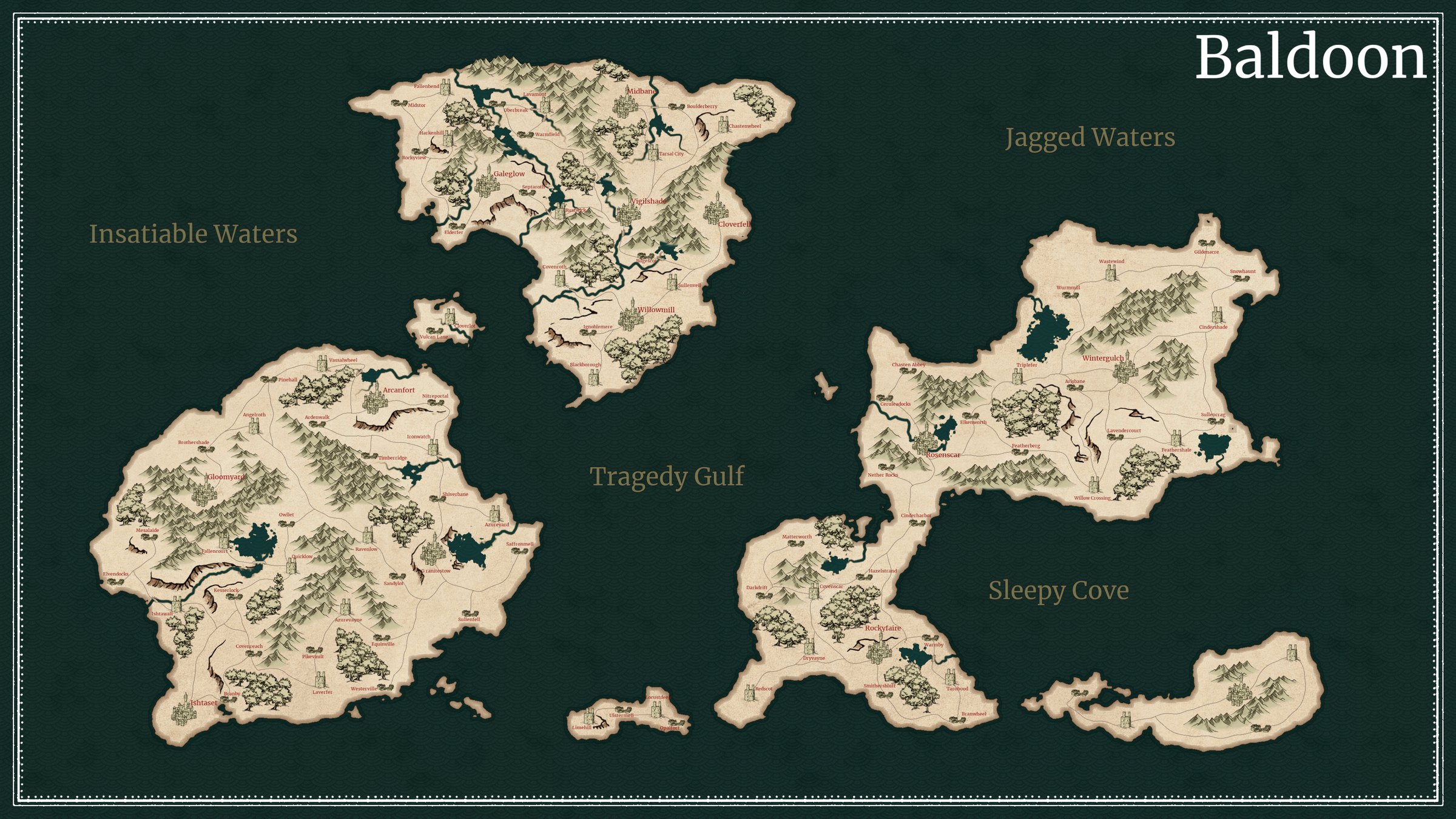
A hand-drawn world map, its towns and wilds marked in ink
Distance
1,240 km
Travel time
31 days
On horseback25 days
By wagon41 days
Campaign Arcs & Sessions

Your story as a spine you can walk

The top lane is the whole campaign. Pick an arc and its sessions open right below it, each one a night planned down to its moments. Colour shows where the party is. Grey for played, orange for the night on the table, green for what's still ahead.

A session reads as a walk-through. The quest, the start, every beat in the order you'll hit it with the links between them, the one you've marked as the main encounter, and the cliffhanger you close on. Add as many beats as the night needs, drag them into order, and flip to edit when you want to change something.

Click through to see the functionality below.

A Crown of Salt›Narrative Arcs›The Hollow Crown
Sessions in this arc
Session Notes
Beneath the Chapel
playing
The Timeline

Your whole history, on one ribbon

I run more than one game in the same world, and I kept losing track of when things happened. So I built the timeline the whole setting hangs on. It's a calendar you define yourself, with your own weekdays, your own months, and your own named eras.

Full history Current session

Every dated thing lands on it. The events of your world, the sessions you've run, and the campaigns themselves as spans across the years. So you see the whole shape of your game at a glance, and where each story sits inside it. I needed to run several campaigns through one history without them tangling, so I built it flexible enough that it bends to almost any setting. That's the point.

Journals

For the writing that doesn't fit on a stat sheet

Session logs, the history of a town nobody's visited yet, the novel your setting keeps asking you to write. Journals is a whole writing tier, sitting in the nav right next to your world.

Journals hold entries, entries hold notes, and every level opens as its own page. A title, a body, a real toolbar. It writes like a word processor because that's what it is. And it stays wired into everything else: type @ and pull in an NPC, a campaign, last Friday's session, and the name lands as a coloured chip you can click straight through.

Click through the tree to see how it reads.

Iskoneth›Journals›Chronicles of the Reach
Your journals
Journal
Chronicles of the Reach
01

Three levels, one habit

Journals hold entries, entries hold notes. Green, blue, purple, so the tree tells you where you are without reading a word of it.

02

Mentions that click through

Type @ and pull in any element, campaign, or session. It lands as a coloured chip, and clicking it opens that thing.

03

Dated, so it lands

Put a date on an entry and it shows up on the timeline next to everything else that happened. Spans included.

Accessibility & Languages

Set the app to the way you read

One of the first things a buyer told me was that the text ran small. Fair. So there's an accessibility panel now, and it has a permanent seat in the sidebar. Text size, an easy-read font, and the language the whole thing speaks, all in one place.

Seven languages so far: English, German, Brazilian Portuguese, Spanish, French, Italian, and Polish. The interface follows. Your own writing never gets touched, so your NPCs, your notes and your place names stay exactly as you wrote them, because they're yours, not mine.

This is the real panel. Change it and watch.

Accessibility
Language
Text size
Easy-read font
Preview

The party crossed the bridge at dawn, weapons drawn.

How It Works

It's an app, not an account

01

No account, ever

You unlock it once with the key from your purchase, and after that it's just an app you open. No sign-up, no password, no account to manage.

02

Works on a plane

No internet required. The whole thing runs on your machine, offline, whether you're at the table or thirty thousand feet up.

03

Your files, and they're yours

Your world is a folder of plain, readable files on your disk, one for every person, place and thing. Back them up, open them in any editor, or drop the folder in your own cloud drive so your campaign follows you to every device. No account, nothing on our servers.

Still Being Forged

It ships, and then it keeps shipping

ScribesBlade isn't a finished box on a shelf. I run a game every week, so whatever I need at my own table tends to land in the app not long after, and the people who bought in get all of it.

You don't go and fetch it. When a release lands, the app says so across the top. Press the button and it downloads right there. On Windows and the Linux AppImage, that's the whole thing done, it installs itself and reopens on the new version. On macOS, or if you installed the .deb on Linux, that same press hands you the fresh build ready to drop in, a drag or a package install standing in for the one step we can't do for you. Either way, no hunting for a download page, no version number to keep straight in your head.

Press the button. This is what it does.

ScribesBlade

Buy in now and every update after it is yours, free, for as long as the thing lives. That isn't a launch promise I'm making at you. It's just how it already works.

From The Table

What DMs say once they've used it

Unprompted, from the Discord and the comments. Nobody was asked for these.

"I made the absolutely diabolical choice to go full homebrew world for my first ever time DM-ing. There's a lot of google docs, a spreadsheet of NPCs that isn't up to date, a master doc waiting for me to sit down. Now I can somewhat bin it all."

"New to creation and mechanics, I just didn't know where to start with other systems and applications. The prompts really helped to get that initial momentum going, and then it was a snowball from there."

"The web map is a game changer. There's something incredibly satisfying about dragging the different nodes around and building all the connections between them."

"The program is amazing! It's user friendly and the visuals are amazing and responsive to the click."

"I'm already like 14 sessions into the campaign I've homebrewed and this is making my life so much easier."

"You solved the obsidian problem my friend, more people should learn about this."

See The Whole Thing

Twenty minutes, the entire app

No highlight reel. I open it and build a campaign from nothing, so you can see exactly what you'd be buying before you buy it.

Get ScribesBlade

Yours once, and yours for good

One payment. Every update free for as long as it lives.

Questions

Answered before you ask

Obsidian is a great notes app, and if it's working for you then genuinely, keep using it. I used it too. The difference is that Obsidian hands you an empty vault and you build the campaign tool yourself, out of plugins and templates and a folder structure you have to invent and then maintain forever.

ScribesBlade is already the tool. It asks you the questions that turn a vague idea into a world. It knows what an NPC is, what a faction is, and how they connect, so the web draws itself instead of you wiring it. It puts your party on a real map, on a real timeline.

I built it because I kept hitting the edge of what my vault could do. If you haven't hit that edge yet, you don't need this.

No, and that's the deal. ScribesBlade is in active development and you're buying in early. It already runs a real campaign day to day, the World Bible, the web map, the arcs, the sessions. You get the current build and every update after it, free, as it's built.

Windows, macOS or Linux, whichever you're already on. On Windows you download one installer and double-click it. It isn't code-signed yet, so Windows SmartScreen throws a warning the first time. Click "More info," then "Run anyway," and you're in. On macOS you open the disk image and drag ScribesBlade into Applications, the same as any other Mac app. On Linux, grab the .deb if you're on Ubuntu or Debian, since the AppImage won't start on a stock Ubuntu install. Everywhere else, the AppImage just runs.

In a folder you choose, as plain readable files, one for every person, place and thing in your world. They're yours to open, back up, and edit in any text editor, even Word. None of your world data ever leaves your machine. Want your campaign on more than one machine? Put that folder in your own OneDrive, Dropbox or Drive and it syncs itself, and the app still reads it with your wifi off. Reinstalling the app doesn't touch your world.

No login, no account, no server of ours. The app opens and works with your wifi off. If you want your world on more than one device, that's your own cloud drive doing the syncing, not us, and the app still reads it offline. That's the point of a desktop tool instead of a website.

When you buy, you get a licence key. You paste it in once to activate, and from then on it just works. The key is your proof the copy is yours, not an account you log into.

Yes. If you're not happy, we have a 30-day money-back guarantee, no questions asked. Email kurt@destrola.com and you get your money back and the licence key switches off. If something's just broken, tell me first. Most of the time I can fix it faster than a refund takes.

Yes. The interface runs in English, German, Brazilian Portuguese, Spanish, French, Italian, and Polish, and you switch it in the accessibility panel. Your own writing is never translated. The app's furniture changes language, your world doesn't.